I had my PhD defense this week, and for the first and last time, I used Apple Keynote for making the slides. The slides were overly fancy, in fact it was so fancy that it crashed once during my defense.
Here’s a taste of some of the animations:
 |  |
 |
Below let me tell you some of the problems, ranging from annoying to outright bugs.
The Keynote is at Version 15.3 (7050.0.24)
Keynote Crashes During Presentation#
It happened during my defense talk.
Grouping Destroys Orientation#
First of, there’s a long standing issue that if you have a connector, grouping the object it connects to into some group without the connector is going to cause the connector to be messed up.
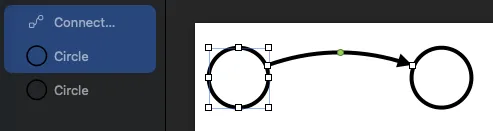 | 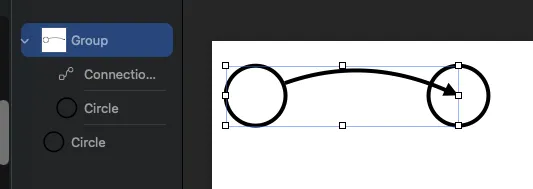 |
But turns out you can get messed up orientation out of nowhere.
For example, here, I have a semi-complex construction but with all Keynote native objects. Focus on the
Line object, since it’s not a “connector”, you normally don’t expect it to get messed up by grouping, and yet:
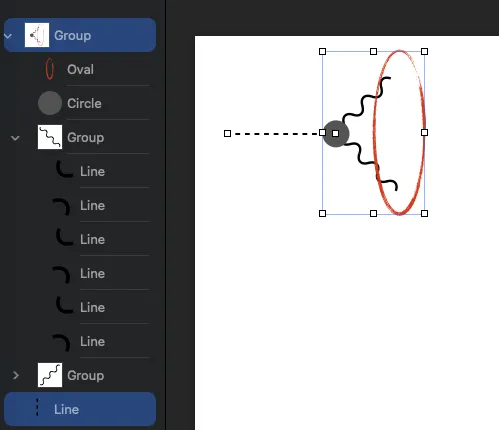 | 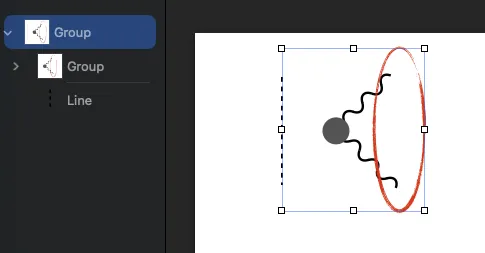 |
Multi-Select Build in Animation#
Build In is Apple’s name for “animations that make an object appear”.
My gripe here is that SOME effects, in particular Dissolve, only can be picked SOMETIMES when you select
multiple objects, here’s a table summarizing the situation
| Selected | Can use Dissolved? |
|---|---|
Multiple Text | Yes |
Multiple Shapes | Yes |
Mixed Text and Shapes | Yes |
Group Texts + Text | No |
Two Groups of Texts | Yes (?!) |
Group of Texts + Group of Shapes | Yes (?!) |
Mixed Image and Shapes | No (?!) |
| Multiple Images | Yes(!?) |
Oh, and the most annoying case this shows up?
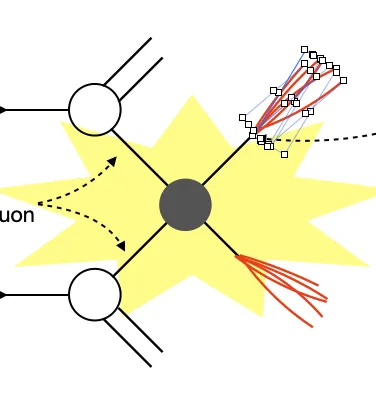
When you want to animate these lines as Line Draw, you have to do the ONE BY ONE, because multi-select lines don’t
allowe you to apply Line Draw, and grouped object doesn’t have Line Draw at all:
“Object Identity” for Magic Move#
Keynote also has a between-slide transition animation where it can “reuse” objects it consider to be the same across pages:
The problem is it has an unintuitive algorithm for what are considered “identical”
In the .gif above, the “bump” curve is a bent Line object. Turns out, if you do anything to a Line, including
simply scaling it, it’s no longer considered to be “the same object”.
So how does the above gif work? Turns out if you “group” another invisible Line with the first Line, the group
now can be scaled and Keynote will consider them to be the same object.
Opacity Gripe#
- When you group an object with an image together, now you can’t change opacity of the group at all
- If you want to “grey out” any objects or groups that had some opacity applied, now you better take a screenshot of the whole thing and grey out the screenshot
Use of Purple to Mean AI#
Apple seems to be using the color purple to indicate something is AI related, such as these buttons that generate image from text, or speaker notes from slides, or straight slides from text.
But one of these are not AI, it’s opening the image in a separate application called Pixelmator Pro.
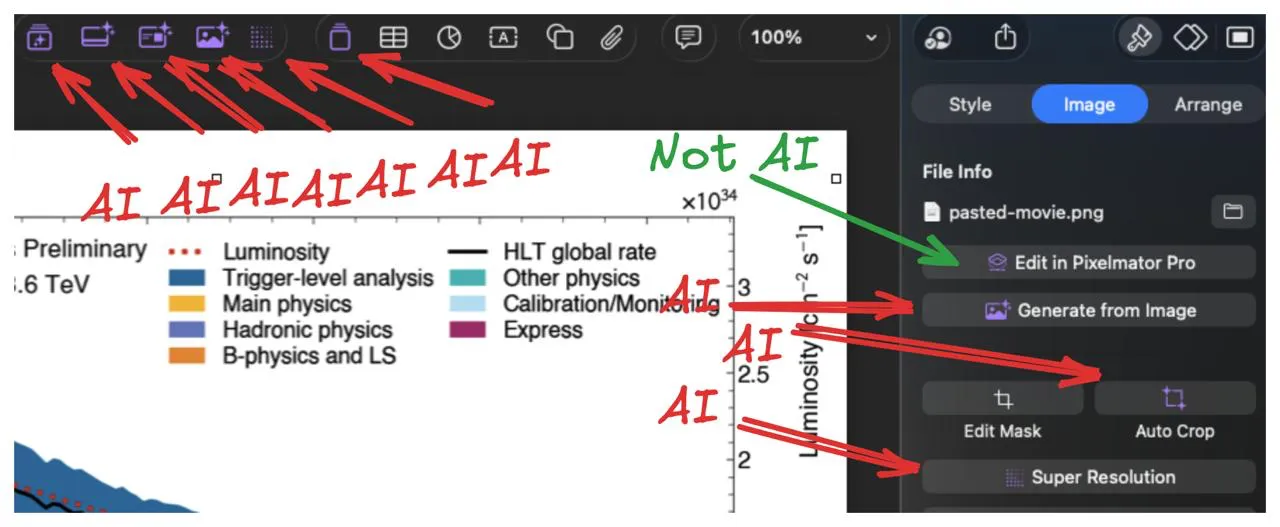
The funnier part is that App has a RED icon:

Pixelmator Pro Silently Breaks File for Users#
If you edited your image with Keynote’s Edit in Pixelmator Pro button, the embeded image file will be converted from,
say, .png to .pxd file, so later you can re-edit it.
The problem? If you open this Keynote file on a computer without Pixelmator Pro installed, it just silently breaks:
- There’s no promopt asking you to install it
- The image looks like a huge
xin playback
Double-Click to Bend a Line#
If you have a 2-point line from the Draw with Pen tool, you can double click that line to add control points to bend
it:
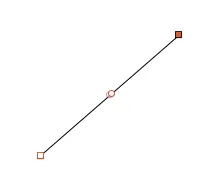
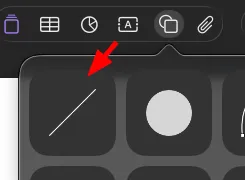
But if you inserted with normal line object, you CAN NOT double click to bend the line:
Direction of a Line#
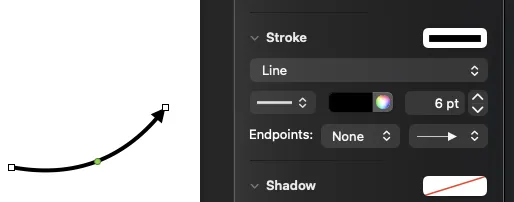
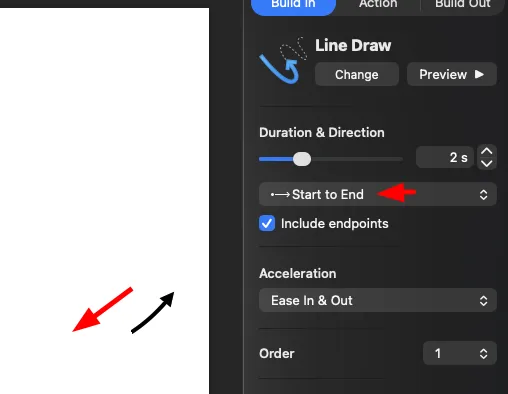
Depening on what have you done to a Line, its “start” and “end” may switch direction 1.
The result is that, despite your second “Endpoint” is arrow, which is usually where the line “ends”, when you animate it, it goes THE OTHER WAY:
 |  |
You Cannot Animate Cells in a Table#
Just… why? This means if you want text in a table to appear gradually, you need to have fun with a dozen of text boxes
Footnotes
-
You can do this by making a line, and drag its original left end point to the right, past its original right point. This seems to “flip” the line on the 2D plane that is your screen in a way that’s invisible. ↩